Convert OLM to MBOX — without Outlook for Mac
Move mail from an Outlook for Mac .olm export into MBOX for Thunderbird or Apple Mail. For Gmail, import the MBOX into a mail client first, then copy the messages over IMAP. The conversion runs on your own machine — the archive is never uploaded.
No archive at hand? — 12 messages, 5 attachments, all invented. What is in it
How do I convert an OLM file to MBOX for Thunderbird or Apple Mail?
Unpack and reassemble — locally, if the mailbox matters to you. Inside an .olm, every message lives as a separate record of structured fields, so conversion means rewriting each record into a normal RFC 5322 message and stitching the results into mailbox files the destination client accepts; Mailward performs the whole rewrite in your browser, and the export never touches a server. Judge any OLM converter on two specifics. Dates: Outlook for Mac stamps times in UTC with the zone marker omitted, and a converter that fails to pin them back to UTC quietly moves every date in the output — ours pins them. Headers: the records an OLM keeps expose sender, subject, times, bodies, and attachment references, but not the original routing block, so converted messages carry rebuilt headers rather than an authentic Received chain. That is a limit of the source format no converter can honestly escape — keep the original .olm alongside the conversion if provenance ever matters.
Drop the .olm file — Mailward lists every folder, nothing is uploaded.
Preview every folder free, then convert a folder or the whole archive to MBOX with a license.
Download the .mbox file, generated entirely in your browser.
Import into Thunderbird with ImportExportTools NG or Apple Mail; use an IMAP client to copy the imported messages to Gmail.
What the conversion controls look like
Unretouched screenshots of this site in Chrome 153 on macOS 27, 21 September 2026, with the public sample mailbox open — invented mail you can open here yourself and compare against the list of what it contains. The mailbox in the picture is an .mbox, not a PST or OLM: we have no way to publish one of those without someone's real mail in it. The workspace and the export rows are the same for every format.
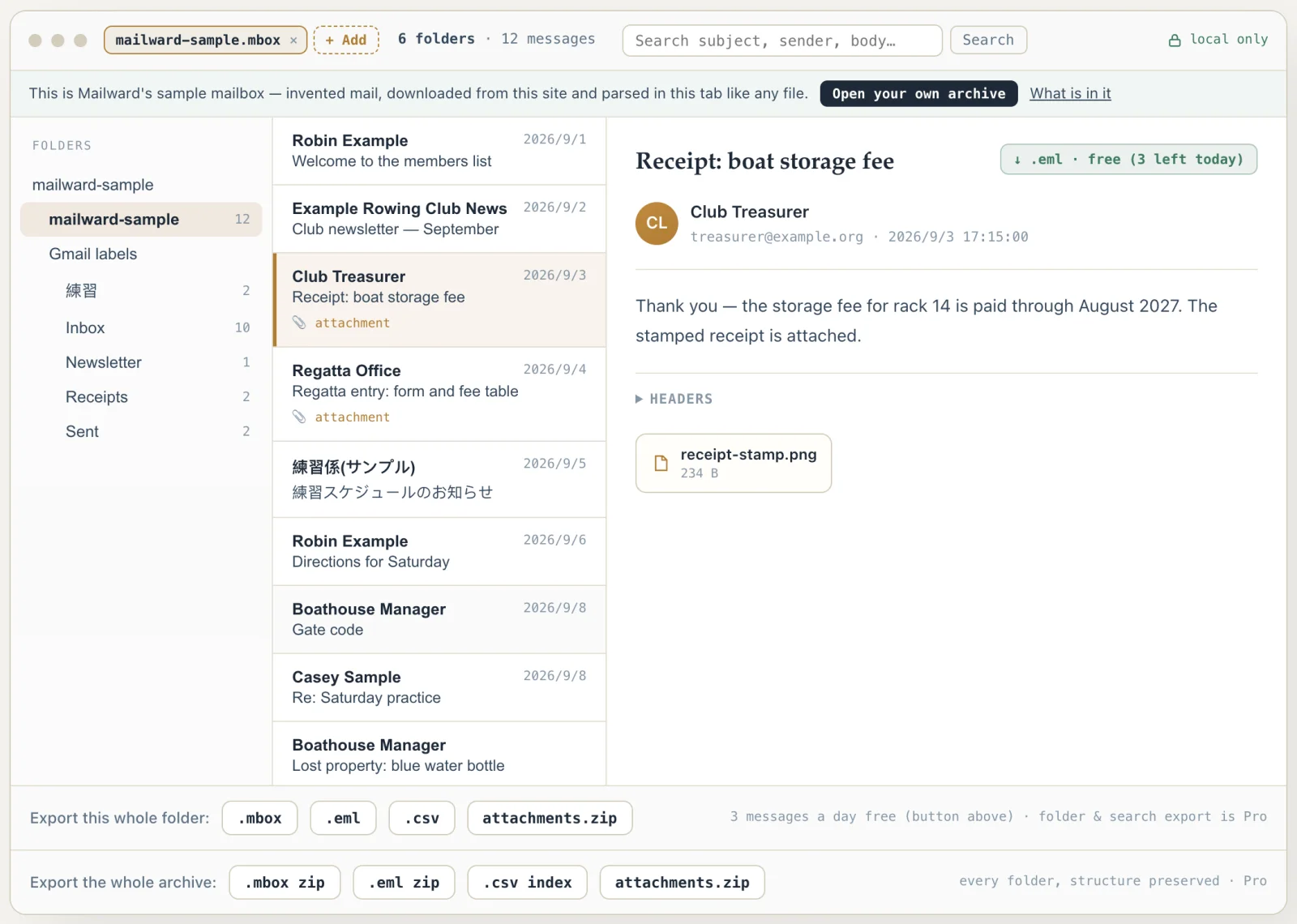
Convert OLM to MBOX — without Outlook for Mac
Use this converter when you are leaving Outlook for Mac — or inheriting an .olm from someone who did — and the mail needs to live in a client that cannot read OLM, which is nearly all of them. The usual options are a paid desktop converter or a website that asks you to upload the whole mailbox; Mailward is the third option.
It unpacks the OLM in a Web Worker in your browser and writes standard MBOX, with attachments re-embedded in each message as MIME parts. Opening and previewing the OLM is free; converting a folder or the whole archive is the one-time paid step.
The attachments of three messages a day can also be saved free, or every attachment pulled into a single ZIP with Pro. Convert only mailboxes you have the right to access.
What survives the OLM → MBOX conversion, and what does not
An OLM stores each message as an XML document inside a ZIP, with OPF-prefixed elements for the subject, addresses, and body. MBOX wants something quite different: a stream of RFC 5322 messages separated by From_ lines. So the conversion is a genuine rewrite — each message's fields are read out of XML and reassembled into a standards-compliant message, then framed with an mboxrd From_ line and ">From " escaping so the mailbox does not split in the wrong place on import.
Two details are worth stating before you convert rather than after. Timestamps in an OLM are UTC written without a zone suffix, so they have to be interpreted as UTC explicitly or every date in the output shifts — we handle that, but it is the single most common way OLM conversions go quietly wrong.
The second is attachments. Each message is rebuilt as complete MIME — plain text and HTML bodies as alternatives when both exist, attachments re-embedded as base64 parts — so what lands in Thunderbird or Apple Mail carries its files with it. The separate per-message save and the whole-archive attachment ZIP remain available for when you want the files without the mail around them.
Inline images are the detail most converters fumble. An HTML body in an OLM references its embedded images by cid: URI, and each attachment record carries a matching Content-ID attribute alongside its file name and MIME type. Mailward re-embeds every attachment with that Content-ID intact and marks cid-referenced images as inline parts, so a pasted screenshot or signature logo still renders inside the message after import instead of degrading into a detached file. Only images get the inline treatment — any other part keeps a visible attachment disposition, because an inline text part would be swallowed into the body on display.
As for what does not survive: recipient headers in the output are rebuilt from OLM's structured name-and-address attributes, with display names quoted per RFC 5322 where they contain commas — so a contact stored as "Doe, John" arrives as one addressee, not two. A message that exists only as HTML gets its text/plain alternative derived by stripping that HTML, since Outlook for Mac reliably writes the HTML side but not always a plain one. Mailbox-level state — read or unread, flags, Outlook categories — is not carried across, because MBOX frames bare RFC 5322 messages and has no standard field for any of it. And since an OLM keeps no Received chain, the conversion cannot restore one; keep the original .olm alongside the output if provenance ever matters.
- Input
- OLM — ZIP of per-message XML (OPFMessageCopy* elements)
- Output
- mboxrd MBOX, one file per folder
- Timestamps
- OLM's suffix-less UTC read as UTC — dates do not shift
- Attachments in the MBOX
- Re-embedded as base64 MIME parts (separate ZIP extraction with Pro)
- Inline images
- cid: references keep resolving — Content-ID preserved on re-embedded parts
- Recipients
- Rebuilt from structured XML name/address attributes, RFC 5322-quoted
- Not carried
- Read state, flags, categories — MBOX has no standard field for them
- Imports into
- Thunderbird (ImportExportTools NG), Apple Mail; Gmail via a mail client and IMAP
Comparing formats? PST, OST, OLM, MBOX & EML explained — what each one is internally, and what is lost converting between them.
Converting this file
Q. How do I import an OLM file into Gmail?
Not in one step: Gmail reads no OLM file, and its web interface has no upload for MBOX either. The route that works goes through a desktop mail client. Convert the OLM to MBOX here, import the .mbox into Thunderbird (ImportExportTools NG) or Apple Mail (File → Import Mailboxes), add your Gmail account to that client with Sign in with Google, then drag the imported messages into a Gmail folder — the client copies them up over IMAP. Each message carries its attachments as embedded MIME parts, so they travel with it. Move one small folder first and check its dates and attachments in Gmail before copying the rest.
Q. Is there a free way to convert OLM to MBOX?
Partly, here: opening the OLM, browsing its folders and reading or searching every message is free, and so is saving three messages a day as .eml. Converting a folder or the whole archive to MBOX is the one-time $19 Pro license. If you do not need MBOX itself, there is a free route: the open-source OLM Convert (MIT license) writes an OLM out as a folder of .eml or .html files, and Thunderbird's ImportExportTools NG can import all EML messages from a directory and its subdirectories.
Q. Will an OLM file larger than 2 GB convert?
Not in Chrome or Edge, and we have not measured other browsers. An OLM is a ZIP, and Mailward reads it whole into the tab's memory to unpack it; Chrome and the browsers built on it refuse to read any single file over about 2 GB that way, however much RAM the computer has — measured on Chrome 154, a 2,000,000,000-byte file read whole and a 2,147,483,647-byte one was refused. Mailward says so when it happens rather than calling the archive damaged. Below that size the limit is the tab's free memory. PST, OST and MBOX files are read in pages and have no such ceiling.
Q. Do inline images survive the conversion?
Yes. OLM stores each attachment's Content-ID alongside its file name and MIME type, and Mailward re-embeds attachments with that Content-ID intact, marking cid-referenced images as inline MIME parts. An embedded screenshot or signature image renders inside the message after a Thunderbird or Apple Mail import rather than arriving as a detached file.
Free viewing, search, and 3 single-message exports a day. MBOX reading is free through the first 500 MB; listing and search cover the whole file. Batch conversion is a one-time $19 licence — no subscription, no recurring fees.
Other formats & archives
Same local-first engine, every common mail format.