Convert OST to MBOX — without Outlook
Convert the mail actually cached in an Outlook .ost into MBOX for Thunderbird or Apple Mail. Moving it to Gmail takes a further import-and-copy step through an IMAP client. The conversion runs on your machine — nothing is uploaded.
No archive at hand? — 12 messages, 5 attachments, all invented. What is in it
Can I convert an OST file to MBOX if the Exchange account is gone?
A direct reader can convert folders, messages and attachments actually present in a readable OST without the original Exchange account. An OST is a cache, not necessarily a complete mailbox: its sync window may exclude older mail, and some items may contain only headers. Mailward cannot recover bodies, attachments or server-only messages that were never downloaded. Drop the file into Mailward and it is parsed on your own machine; preview the available folders and messages for free and check whether the content you need is present, then convert a folder or the entire tree with the one-time license and import the resulting mailbox files into Thunderbird or Apple Mail. No Exchange connection, no Windows recovery utility, no uploading a former employer's mailbox to a conversion site — the last one being the real hazard in the usual advice for stranded caches. Expect the standard conversion losses: Outlook-specific niceties such as categories, follow-up flags, and some calendar fields have no open-format equivalent and do not survive. And establish your legal footing first — being able to read a mailbox is not the same as being entitled to it.
Drop the .ost file — Mailward lists every folder without Outlook.
Preview every folder free, then convert a folder or the whole archive with a license.
Download the .mbox file, generated entirely in your browser.
Import into Thunderbird with ImportExportTools NG or Apple Mail; for Gmail, copy the imported messages through an IMAP client.
What the conversion controls look like
Unretouched screenshots of this site in Chrome 153 on macOS 27, 21 September 2026, with the public sample mailbox open — invented mail you can open here yourself and compare against the list of what it contains. The mailbox in the picture is an .mbox, not a PST or OLM: we have no way to publish one of those without someone's real mail in it. The workspace and the export rows are the same for every format.
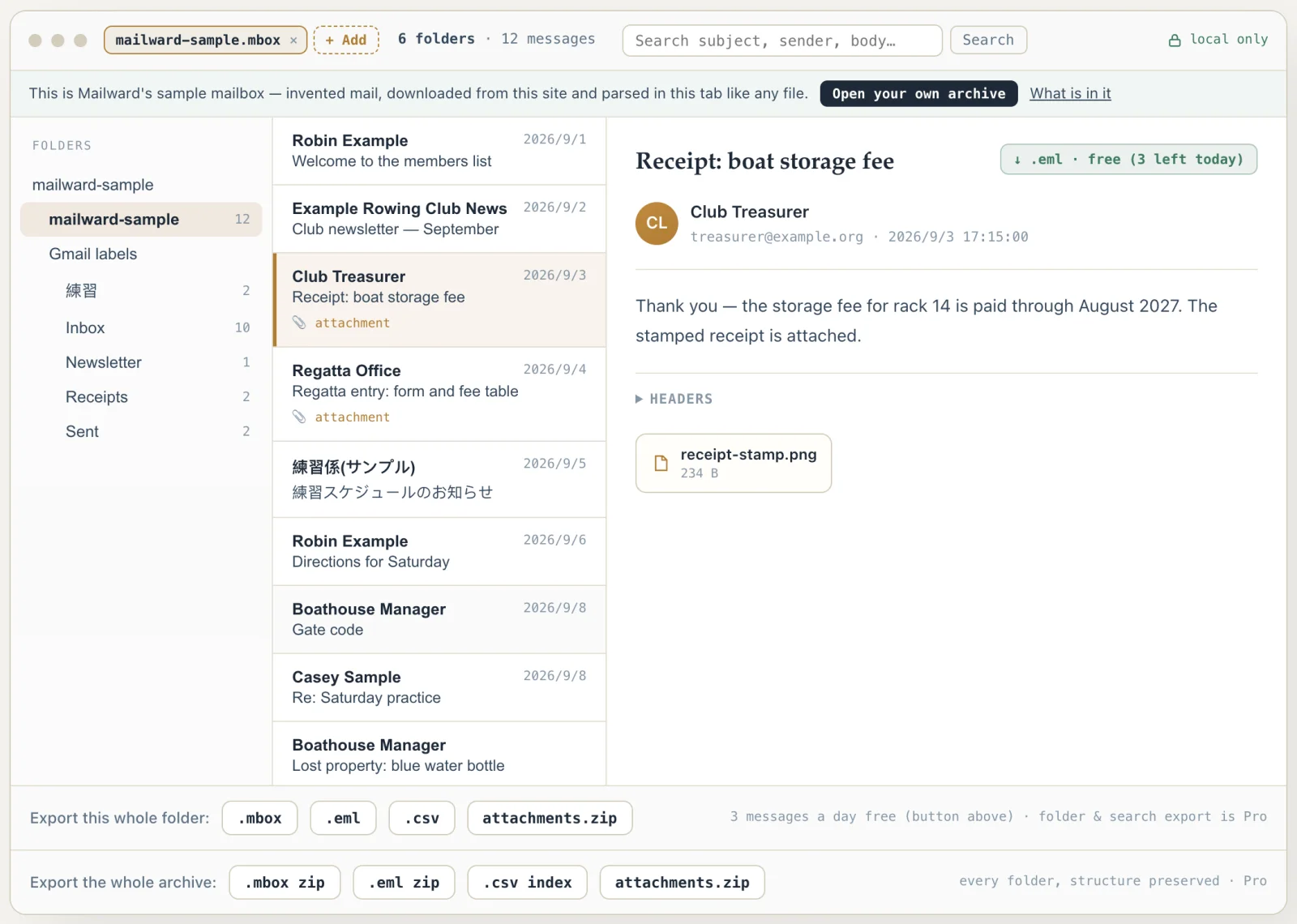
Convert OST to MBOX — without Outlook
Use this converter when a mailbox only survives as an OST cache and you need it in a format other apps can read. Outlook itself will not export an OST it cannot verify against the original account, which strands otherwise healthy mail.
Mailward reads the OST directly in your browser and writes standard MBOX — opening and previewing the OST is free, converting a folder or the whole archive is the one-time paid step. Everything runs locally in a Web Worker, so the mailbox never touches a server.
Make sure you have the right to the mailbox data before converting a file that is not yours.
Getting a stranded mailbox out of OST
The OST-to-MBOX case is almost always a rescue, not a migration. Someone has an offline cache from an account that no longer exists — a closed tenant, a former employer, a decommissioned server — and Outlook refuses to open it because the account it was bound to is gone. The cached data may still be readable, but only content downloaded before the account became unavailable can be recovered.
Two conversions happen here. First the OST's property sets are resolved into standards-compliant MIME messages, the same reconstruction a PST needs, because neither format stores mail as RFC 5322 to begin with. Then those messages are framed into an mboxrd file — From_ separators, with body lines starting with "From " escaped as ">From " so the mailbox does not split in the wrong place on import.
The escaping is applied to already-escaped runs as well: a body line reading ">From " becomes ">>From ". That is what makes mboxrd reversible — an importer strips exactly one ">" from any line matching ">*From " and recovers the original text byte for byte, which plain mboxo cannot do.
Each message is introduced by a From_ envelope line built from the sender address and the delivery time, formatted as a UTC date string. Two fallbacks are worth knowing before you import: a message with no recoverable sender address gets the placeholder "mailward@localhost", and one with no delivery timestamp gets the Unix epoch — so a handful of messages dated "1 Jan 1970" in Thunderbird means those items carried no usable date property in the cache, not that the conversion failed. The envelope line is metadata for the mbox container; the real Date: and From: headers inside each message are untouched.
Output is one .mbox file per folder, so an OST's folder tree arrives as a set of flat mailboxes rather than a nested hierarchy — you re-create the nesting in the destination client. Outlook-specific properties with no MIME equivalent (categories, flags, some calendar and contact fields) do not survive this or any other PST/OST-to-open-format conversion.
That last caveat deserves precision, because an OST is never just mail. Inside the file, every item — a message, an appointment, a contact, a task, a sticky note — is stored the same way and distinguished only by its message-class property: IPM.Note is mail, IPM.Appointment and the IPM.Schedule.Meeting.* classes are calendar items, IPM.Contact and IPM.Task are what they sound like. The converter does not filter by class: pick your Calendar folder and it converts, with each appointment arriving as a message-shaped record. What survives is the item's text — its subject line and whatever free-text notes it carries. What does not survive is the structured data, because start and end times, recurrence rules, attendee lists, and a contact's phone numbers live in typed MAPI properties that have no MIME header to map onto.
So treat MBOX as the rescue format for mail and for the searchable text of everything else. If the calendar itself is what you need — events you can re-import with their times and recurrences intact — the honest target is iCalendar, and no OST-to-MBOX conversion, ours included, can produce that.
The resulting MBOX can be imported into Thunderbird with ImportExportTools NG or into Apple Mail. Gmail requires an additional step: copy the imported messages from the mail client into the Gmail account over IMAP. Convert only mailboxes you have the right to access.
- Typical trigger
- Account, tenant, or Exchange server no longer reachable
- Needs the original account?
- No — the file is read directly, offline
- Output variant
- mboxrd, one .mbox per folder
- From_ envelope
- Sender address + delivery time as a UTC date string
- Missing sender falls back to
- mailward@localhost
- Missing date falls back to
- Unix epoch (1 Jan 1970)
- Not preserved
- Categories, flags, some calendar/contact fields
- Item typing
- MAPI message class — IPM.Note, IPM.Appointment, IPM.Contact, IPM.Task
- Calendar/Contacts folders
- Convert as text; structured fields (times, recurrence, attendees) drop
- Imports into
- Thunderbird (ImportExportTools NG), Apple Mail; Gmail via a mail client and IMAP
- Your responsibility
- Only convert mailbox data you are entitled to
Comparing formats? PST, OST, OLM, MBOX & EML explained — what each one is internally, and what is lost converting between them.
Converting this file
Q. Does this need the original Exchange account?
No. The OST is read directly from the file on your device — no account check, no server connection, no Outlook install.
Q. Which apps can open the MBOX output?
Thunderbird can import MBOX into Local Folders with ImportExportTools NG; Apple Mail uses File → Import Mailboxes. Gmail web has no MBOX file upload: add Gmail to the mail client using Sign in with Google, then copy imported messages to the account over IMAP. Try a small batch and confirm the messages and attachments before moving the rest.
Q. Is the conversion free?
Opening the OST, browsing its folders and reading or searching any message is free, and so is exporting three single messages a day as .eml. Converting to MBOX — a folder at a time, the whole archive in one click as a ZIP with one .mbox per folder, or every open archive at once — is part of the one-time Pro license.
Q. Does my mailbox get uploaded?
No. The OST is parsed and the MBOX is generated in a Web Worker on your own machine. You can go offline after the page loads and the conversion still works.
Q. Does it convert an OST from Outlook 2013 or later (Microsoft 365, Outlook.com)?
Yes. Those caches use the 4 KB-page layout (format version 36 in the file header), and Mailward converts it folder by folder like any other OST. Measured on the 4 KB-page test OST published with the pst-extractor library, cached from an Outlook.com account: Inbox, Sent Items, Deleted Items, Calendar, United States holidays and Sync Issues convert to MBOX files of 10, 2, 1, 9, 160 and 1 messages — the counts the folder tree shows. Search folders such as Finder → Reminders are saved searches whose matches are stored in other folders, so they show no messages and are left out of a whole-archive conversion: each item is converted once, from the folder that holds it.
Q. Can I convert the Calendar or Contacts folders too?
You can — they appear in the folder list like any mail folder, because inside an OST every item is stored the same way and only a message-class property (IPM.Appointment, IPM.Contact, IPM.Task) marks it as non-mail. Each item converts to a message-shaped record whose subject and free-text notes survive, which is enough to search what an appointment or contact said. The structured fields — start and end times, recurrence rules, attendee lists, phone numbers — are typed MAPI properties with no MBOX equivalent and are dropped, so for a calendar you intend to re-import, MBOX is the wrong target format.
Free viewing, search, and 3 single-message exports a day. MBOX reading is free through the first 500 MB; listing and search cover the whole file. Batch conversion is a one-time $19 licence — no subscription, no recurring fees.
Other formats & archives
Same local-first engine, every common mail format.