Convert PST to EML — one file per message
Turn an Outlook .pst archive into individual .eml files — one per message, openable in Windows Mail, Thunderbird, and most mail clients. Read and converted locally, never uploaded.
No archive at hand? — 12 messages, 5 attachments, all invented. What is in it
How do I export emails from a PST as individual EML files?
Use a converter that writes one .eml per message instead of a single mailbox blob — that granularity is the point of EML: each file can be numbered, hashed, forwarded, or dropped into a review set on its own. Mailward reads the archive on your device and exports the message you are viewing for free (three messages a day); a license turns an entire folder into a ZIP of .eml files, each named after its subject and deduplicated when subjects collide. What lands in each file depends on what Outlook kept: where the stored header block exists — typical for received mail — it is written out unchanged, and where it does not (sent items usually carry none), a minimal header set is reconstructed from sender, subject, and date. Attachments are re-embedded as base64 parts, so every .eml stands alone with its files inside — worth knowing because the PST recorded that structure only as Outlook properties, meaning the message is rebuilt as standards-compliant MIME rather than copied byte-for-byte.
Drop the .pst file — it is read locally in your browser.
Preview any message, then export it as EML — three messages a day are free.
With a license, export a whole folder as a ZIP of EML files.
Open the EML files in Thunderbird, Windows Mail, or your client.
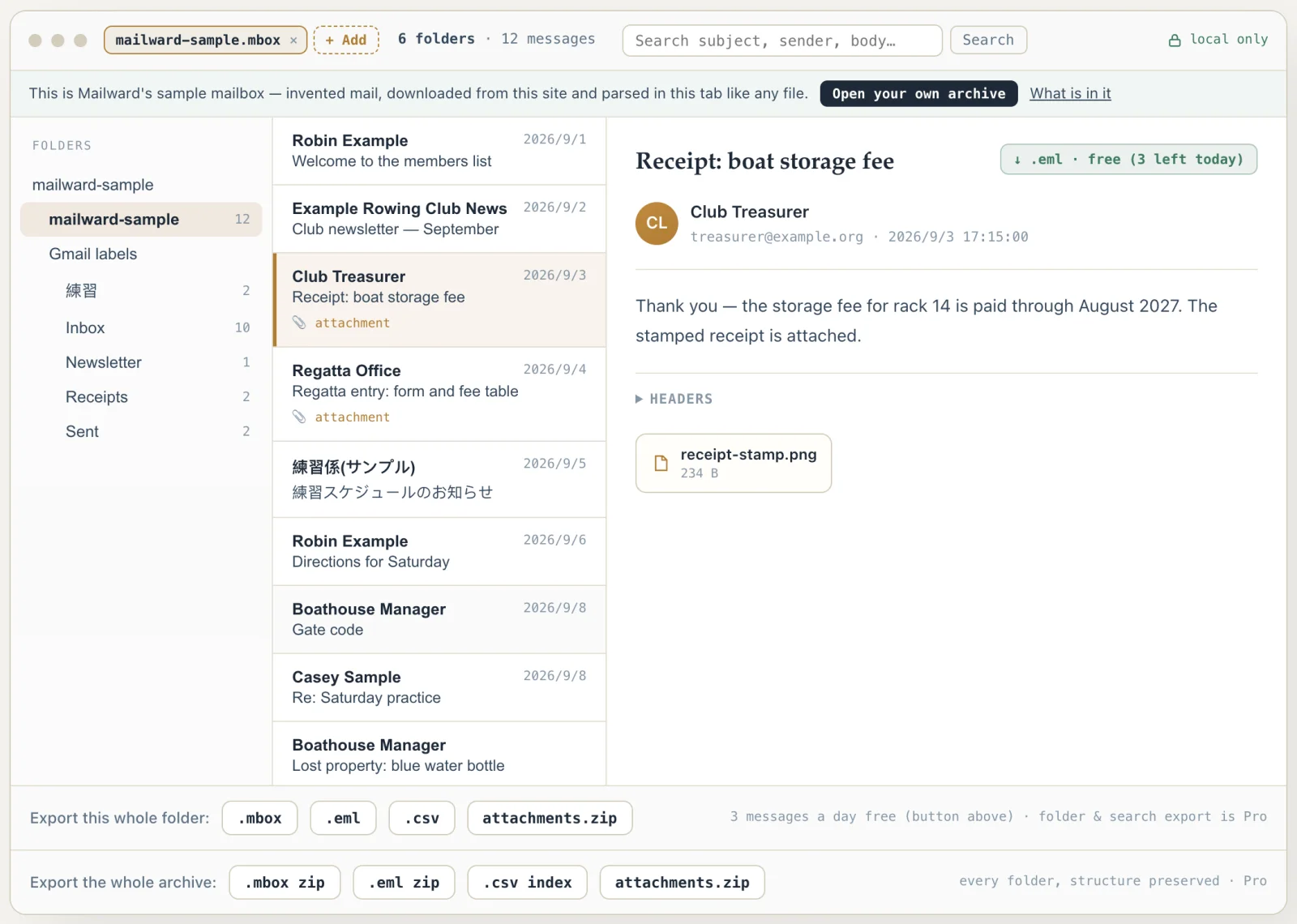
What the conversion controls look like
Unretouched screenshots of this site in Chrome 153 on macOS 27, 21 September 2026, with the public sample mailbox open — invented mail you can open here yourself and compare against the list of what it contains. The mailbox in the picture is an .mbox, not a PST or OLM: we have no way to publish one of those without someone's real mail in it. The workspace and the export rows are the same for every format.
Convert PST to EML — one file per message
Use this converter when you need each message as its own file — for evidence, per-message review, or importing selected mail elsewhere. Mailward reads the PST in your browser and writes standard EML, preserving headers and body, with attachments re-embedded as MIME parts.
Exporting single messages is free for three messages a day; bulk export of a folder or the whole archive to a ZIP of EML files is the paid step. The archive stays on your device the entire time.
On a Mac? macOS ships nothing that opens PST — readpst needs Homebrew and a terminal, and new Outlook for Mac won't export mail files. A browser tool needs no install at all.
What EML gives you that a mailbox file does not
An .eml file is one message serialised exactly as it would travel over the wire: RFC 5322 headers, then a MIME body per RFC 2045. Nothing wraps it and nothing indexes it — which is precisely the point when each message has to stand on its own as a discrete item.
That makes EML the natural output for review and discovery work. One message is one file, so it can be numbered, hashed, handed to someone else, or dropped into a review set without carrying the rest of the mailbox along. MBOX, by contrast, is a single file per folder — good for migration, awkward when you need message-level granularity.
Because a PST stores messages as property sets rather than as MIME, each EML is reconstructed from those properties: the original transport headers where the archive kept them, the body (text and HTML as alternatives when both exist), and every attachment re-embedded as a base64 part. The result is a complete, standalone MIME document — any client opens it with attachments intact, and nothing has to be hunted down separately afterwards.
Inside each file, the header block depends on what Outlook kept. Received mail almost always carries its original transport headers (the PR_TRANSPORT_MESSAGE_HEADERS property) — the Received: chain, authentication results, Message-ID, List- and X- headers — and Mailward writes those out verbatim, dropping only the six structural MIME headers (Content-Type, Content-Transfer-Encoding, MIME-Version, Content-Disposition, Content-ID, Content-Length) and Outlook's "Microsoft Mail Internet Headers" banner line, because the body underneath is being rebuilt and the old boundary declaration would describe parts that no longer exist. Sent items usually have no stored block, so From, To, Cc, Subject and Date are synthesized instead — To and Cc from the PST's recipient table, which holds real SMTP addresses rather than the display names Outlook shows — and a Message-ID is carried over only when the archive recorded one; none is ever invented.
Encoding is chosen for portability rather than compactness. Text and HTML bodies become quoted-printable UTF-8 in lines of at most 76 characters, nested as multipart/alternative when both exist; attachments become base64 wrapped at 76 columns, with non-ASCII file names written per RFC 2231 and non-ASCII subjects or display names per RFC 2047. Images the HTML references by cid: keep their Content-ID and render inline; everything else is a visible attachment; a declared type that is not a valid type/subtype pair falls back to application/octet-stream. One kind of attachment is deliberately not base64-encoded: a message attached as an Outlook item has no byte payload in the PST (its PR_ATTACH_DATA_OBJ is an 8-byte reference to a nested message sub-tree), so Mailward follows the reference, rebuilds the nested message the same way — recursively, for forwarded chains — and embeds it raw as a message/rfc822 part, because RFC 2045 forbids base64 on composite types. The finished document is 7-bit ASCII with CRLF line endings (an embedded part is marked 8bit only when its preserved headers carry 8-bit characters), so zipping it, copying it between operating systems, or framing it into an mbox later cannot alter a byte. Expect the .eml to run about 37% larger than the raw attachments inside it — that is base64's cost, not duplication.
Two details matter for evidence work. File names come from the subject — characters no file system allows are replaced, the name is capped at 80 characters, and a repeated subject gets a -2, -3 suffix — so a folder of "RE: Invoice" threads stays navigable. And the output is deterministic: the MIME boundary is a hash of the subject and date rather than a random value (checked against the content so it can never collide with a quoted earlier export), which means exporting the same message twice yields byte-identical files whose checksums match. What is not carried over is Outlook's own bookkeeping — read/unread state, categories, follow-up flags — which lives in MAPI properties with no RFC 5322 equivalent, and Bcc recipients, which are never reconstructed. Verified against a public Enron PST: all 71 messages parse back with matching subjects, and every attachment in the 29 messages that carry one comes back byte-for-byte identical.
- Standard
- RFC 5322 headers + MIME body (RFC 2045)
- Granularity
- One file per message — unlike MBOX's one file per folder
- Opens with
- Thunderbird, Windows Mail, Apple Mail — often by double-click
- Attachments
- Re-embedded in each EML as base64 MIME parts
- Header block
- Original transport headers kept verbatim when stored; only the 6 structural MIME headers are replaced
- Encoding
- Quoted-printable UTF-8 text, base64 attachments — 7-bit ASCII output with CRLF line endings
- Embedded messages
- ATTACH_EMBEDDED_MSG (method 5) followed to the nested sub-tree and written recursively as message/rfc822 parts — never the stored 8-byte reference
- File names
- From the subject, capped at 80 characters, -2/-3 suffixes on repeats
- Verified on
- Enron PST: 71/71 messages re-parse, 29/29 attachment sets byte-identical
- Not carried
- Read state, categories, follow-up flags, Bcc — no RFC 5322 equivalent
- Typical use
- Review sets, evidence exports, moving selected mail
Comparing formats? PST, OST, OLM, MBOX & EML explained — what each one is internally, and what is lost converting between them.
Converting this file
Q. What opens an EML file?
Thunderbird, Windows Mail, Apple Mail, and most desktop clients open EML directly. Many open it just by double-clicking the file.
Q. Can I export the whole folder at once?
Yes, with a Pro license — a whole folder or archive exports as a ZIP of EML files. Exporting single messages is free for three messages a day.
Q. Are attachments included?
Yes. Each exported EML is a complete MIME document — attachments are re-embedded as base64 parts alongside the message body and headers, so the file opens elsewhere with its attachments intact.
Q. Is anything uploaded?
No. The PST is parsed in a Web Worker on your machine and the EML files are generated locally.
Q. Why is an exported .eml bigger than the attachment inside it?
Because attachments are base64-encoded inside the file, as MIME requires: every 3 bytes become 4 characters, plus a line break every 76 characters, so an attachment grows by roughly 37%. Nothing is duplicated — decoding the part returns the original bytes, which is exactly what the Enron round-trip test checks.
Q. What happens to emails that are attached inside other emails?
A message attached as an Outlook item (Attach Item, or a message forwarded as an attachment) is stored in the PST with no byte payload at all — its PR_ATTACH_METHOD is 5 and PR_ATTACH_DATA_OBJ holds only an 8-byte reference to a nested message sub-tree. A converter that reads the attachment's data stream generically writes those 8 pointer bytes out as the "attachment". Mailward follows the reference instead: the nested message is serialised into a complete .eml of its own — recursively, so a forwarded chain keeps every level — and embedded in the parent as a message/rfc822 part, which is also what you get when you save the attachment on its own.
Free viewing, search, and 3 single-message exports a day. MBOX reading is free through the first 500 MB; listing and search cover the whole file. Batch conversion is a one-time $19 licence — no subscription, no recurring fees.
Other formats & archives
Same local-first engine, every common mail format.