Convert EML to PDF — with the attachments inside
Drop an .eml file and save the message as a PDF — the header lines, the full text, and every attached file embedded in the PDF itself, so one document carries the whole email. It is made in your browser; the message never leaves your device.
No archive at hand? — 1 message, 2 attachments, all invented. What is in it
How do I convert an EML file to PDF?
Open it in something that understands email and can write PDF, and decide what you need to keep. A mail client's Print → Save as PDF keeps the look of the message and drops its attachments; most online converters keep both but want the email uploaded to their server first. Mailward takes a third route: drop the .eml on this page and press ↓ .pdf, and your browser itself writes a searchable PDF — subject, From, To, Cc and the Date line as the sender wrote it, the message text, and every attached file embedded inside the PDF, so a single document carries the whole email. It runs on your device; the email is never uploaded. Pictures are drawn in place — the ones a newsletter links from the web too, fetched straight from their own servers — and emoji in colour, but HTML styling is not reproduced: the PDF is a clean record of the message, not a screenshot of it. Three messages a day are free; a Pro license converts a whole folder or archive into a ZIP of PDFs.
Drop the .eml file — or several at once; they open as one list, read locally.
Open the message and press ↓ .pdf beside its subject.
Open the PDF: the header lines and the text on the page, the attached files in your PDF reader's attachments panel.
Need every message as a PDF? Pro exports a folder or the whole archive as a ZIP of PDFs.
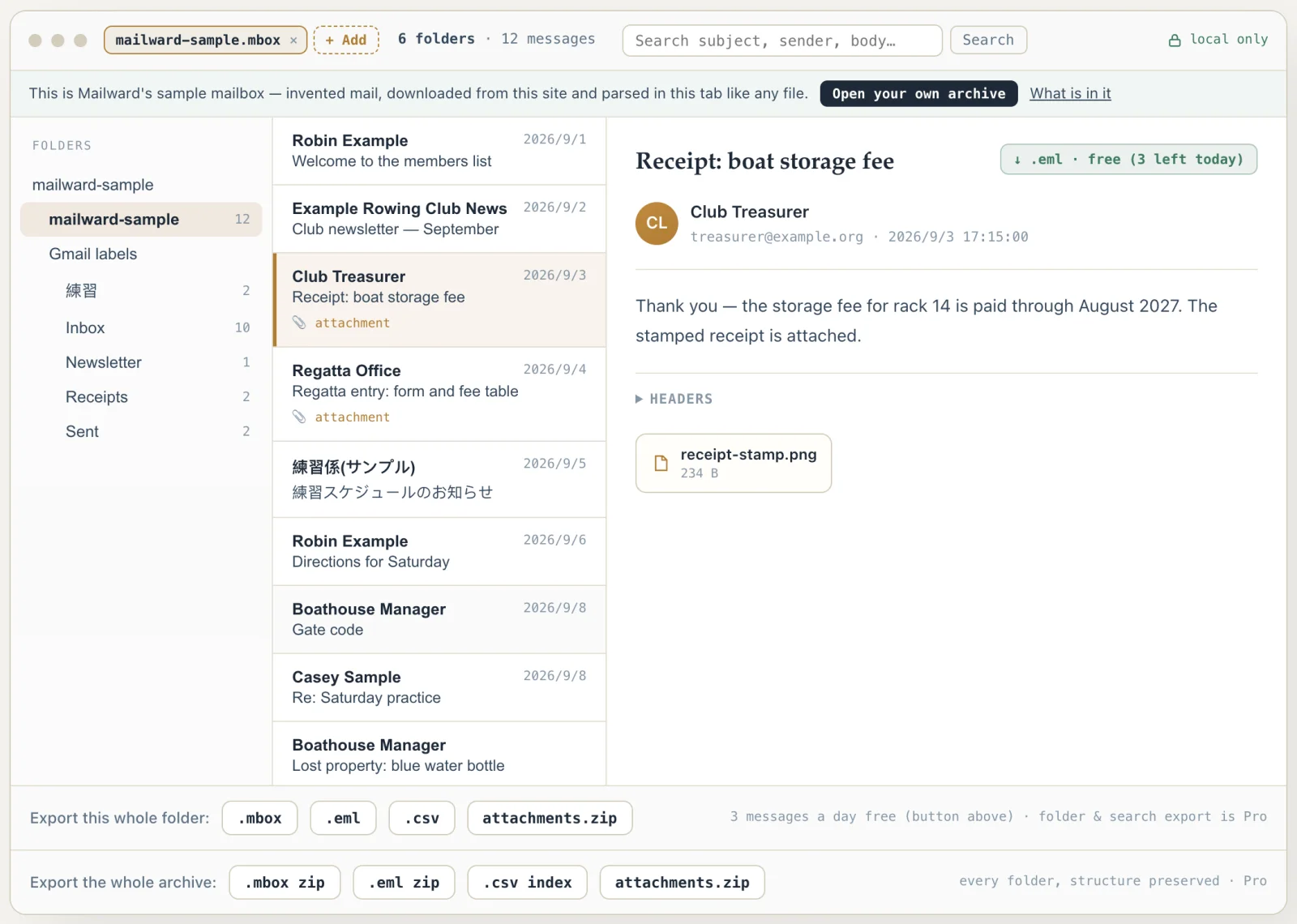
What the conversion controls look like
Unretouched screenshots of this site in Chrome 155 on macOS 27, 26 October 2026, with the public sample mailbox open — invented mail you can open here yourself and compare against the list of what it contains. The mailbox in the picture is an .mbox, not a PST or OLM: we have no way to publish one of those without someone's real mail in it. The workspace and the export rows are the same for every format.
Convert EML to PDF — with the attachments inside
Use this when an email has to become a document: a receipt for the accounts, a confirmation for a case file, a message someone asked you to send "as a PDF". Mailward reads the .eml on your machine and writes a searchable PDF — real text you can select and search, not a picture of the screen — with the attachments written into the PDF as embedded files rather than left behind.
Three messages a day are free, each as .eml or PDF; a Pro license turns a whole folder, an archive or a set of search results into a ZIP of PDFs in one click. No account, no upload, no desktop software.
What an email turns into on a PDF page
Header lines first. The subject becomes the PDF's heading and its document title. From, To and Cc are read from the message's own header block and printed as Name <address>, with RFC 2047 encoded words decoded and address groups kept as groups. The Date line is the Date header exactly as the sender's client wrote it — time zone included — because that is the line a reader checks; only when a message has no Date header does the PDF fall back to the delivery time, written in UTC. Each attachment is listed with its size.
Then the body. Most mail carries two versions of the same text, plain and HTML; the PDF prints the plain one, which is what the sender's client wrote for exactly this kind of reader — unless the HTML shows pictures, which only it can place. HTML is converted rather than flattened: block elements become lines, list items bullets, table cells are kept apart on one line per row, Outlook's one-paragraph-per-line HTML stays one line each with its deliberate blank lines, a <pre> block keeps its spacing, and a link gains its address in brackets unless the words already are the address. Scripts, styles and comments are dropped. Each picture is drawn at its place, at the size the HTML gives it and never wider than the page: an attached part referenced by cid:, a data: URI, or a picture on the web, which your browser requests from its own server without cookies — never through ours. One that a server will not hand to another website, or no longer has, becomes a grey box with its description and the reason; a one-pixel tracker is never requested.
The page is real text in embedded fonts — select it, search it, copy it. Noto Sans covers Latin, Greek and Cyrillic and is always used; Chinese and Japanese pull in a second font only when a message contains them, cut to the 19,594 characters the legacy CJK mail encodings (GB 2312, Big5, JIS X 0208 and 0212, KS X 1001) can carry, and Korean a third with all 11,172 Hangul syllables. Each PDF embeds only the glyphs it uses, so a typical one-page message is a few kilobytes plus its attachments. Emoji are drawn in colour from Google's Noto Emoji pictures — a skin tone, a family joined with zero-width joiners, a flag or a keycap as one picture — and only the pictures a message uses are fetched. A character no font has — Arabic, Hebrew, Thai or Devanagari — prints as the replacement character, never as an empty box; right-to-left and Indic scripts are not laid out yet, so keep the .eml for those messages.
The rest is housekeeping that matters on paper. US Letter when the browser's language is a US-style locale, A4 everywhere else; margins of three-quarters of an inch; long words and URLs broken inside the margins; Chinese and Japanese lines broken between any two characters; every page numbered "Page n of N". A body longer than 1,000,000 characters — about 250 pages — is cut there with a note saying so, and the .eml export still holds all of it.
- Header lines
- Subject, From, To, Cc, Date — Date as the sender wrote it
- Body
- Plain-text part when the email has one; HTML converted with its structure when not, or when it shows pictures
- Attachments
- Listed with sizes, and embedded in the PDF as files, byte for byte
- Text
- Selectable and searchable — embedded Noto fonts, subset per PDF
- Scripts covered
- Latin, Greek, Cyrillic, Chinese, Japanese, Korean
- Pictures
- Drawn in place — attached (cid:, data:) or linked from the web; a grey box says why when one cannot be had
- Emoji
- In colour — Noto Emoji pictures, one per emoji, skin tones and flags included
- Not drawn
- Arabic, Hebrew, Thai, Devanagari — printed as U+FFFD
- Paper
- US Letter for US-style locales, A4 elsewhere; pages numbered
- Sample
- The sample .eml: a one-page PDF with entry-form.pdf (692 B) and fees-2026.csv (150 B) embedded
- Free
- Three messages a day, as .eml or PDF; folder and archive export is Pro
Comparing formats? PST, OST, OLM, MBOX & EML explained — what each one is internally, and what is lost converting between them.
Converting this file
Q. How do I convert an EML file to PDF with its attachments?
Open the .eml here and press ↓ .pdf. The PDF lists every attachment under the header lines with its size, and the files themselves are written into the PDF as embedded files — byte for byte what the email carried. Adobe Acrobat Reader and Firefox show them in an attachments panel (the paperclip); not every PDF viewer shows embedded files, but they are in the document and travel with it when you send it on. Printing an email to PDF from a mail client gives you the message without its attachments; this keeps both in one file.
Q. Is there a free EML to PDF converter that does not upload the email?
This one: the conversion happens in your browser, in a background worker. While it runs, the page fetches font and emoji files from this site and the pictures the email links to, straight from the servers that hold them — your message itself is never sent anywhere. Three messages a day are free, as .eml or as PDF (one message, one of the three, whichever you save). Converting a folder or a whole archive at once is the one-time Pro license.
Q. Will the PDF look exactly like the email does in Outlook or Gmail?
No, and it is built not to pretend. The PDF prints the message as text: the subject, From, To, Cc and Date lines, then the body. An email that only has an HTML version is converted to text with its structure kept — paragraphs, bullet lists, table rows with their cells side by side, and each link's address in brackets after its words, because on paper the address is the only way to follow it. Pictures are drawn where the email shows them — a pasted screenshot, the logo in a signature, the photos a newsletter links from the web, which your browser fetches from the server that holds them — and emoji print in colour. A server that does not let other websites download its pictures, or no longer has them, leaves a grey box saying so, with the picture's description. What is not reproduced: the HTML's fonts, colours and layout. If you need the pixel-exact look, open the .eml in a mail client and print it; if you need a clean, searchable record with the files attached, this is the one.
Q. Can I convert many EML files to PDF at once?
Yes. Select or drop all the .eml files together and they open as one list. Saving them one by one is free for three messages a day; with Pro, the folder export button writes one PDF per message into a ZIP, each named after its subject the same way the .eml export names files (characters a file system forbids replaced, a repeated subject numbered -2, -3).
Q. Can I convert an EML to PDF on an iPhone or Android phone?
Yes — the page works in the phone's browser. On Android, pick the .eml from Files or Downloads; on an iPhone or iPad, pick it from the Files app. The PDF is saved to the phone's downloads. A first message containing Chinese or Japanese text loads a 4 MB font once, so expect a few seconds' pause on a slow connection; Latin, Greek and Cyrillic need only a 0.25 MB font.
Free viewing, search, and 3 single-message exports a day. MBOX reading is free through the first 500 MB; listing and search cover the whole file. Batch conversion is a one-time $19 licence — no subscription, no recurring fees.
Other formats & archives
Same local-first engine, every common mail format.